


FUJIFILM X30

Feature 5Shooting function that brings joy back to your photography
Advanced Filters. Artistic photography made fun and simple.
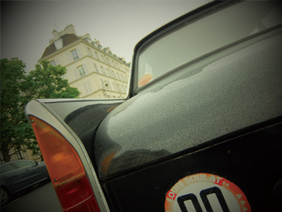
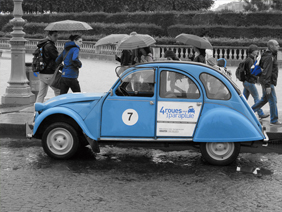
"Toy Camera" create shaded borders as if you were taking a photo on a toy camera. "Pop Color" emphasizes contrast and color saturation. Featuring a choice 8 artistic effects, Advanced Filters make it easy to transform your photo into a work of art. Before you press the shutter, you can preview the effect on the LCD monitor.
Toy Camera
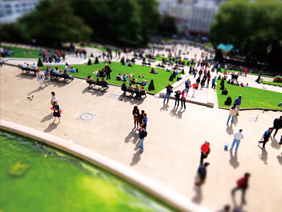
Miniature
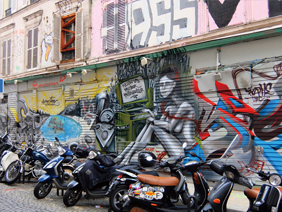
Pop Color
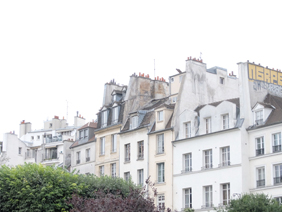
High Key
Low Key
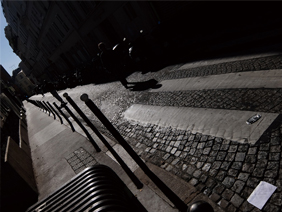
Dynamic Tone
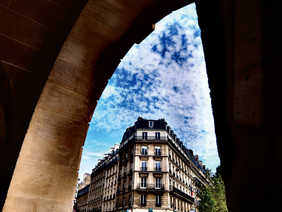
Soft Focus

Partial Color (Red/Orange/Yellow/Green/Blue/Purple)
Get creative with multiple exposures
Shoot one photo, then seamlessly merge it with another via the Multiple Exposure mode, for an expressive and artistic look. Composing the second frame is easy as it can be shot while displaying the first on screen.
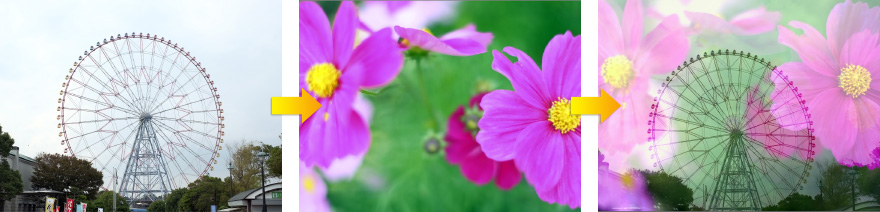
- 1st shot
- 2nd shot
- Multiple Exposure result
RAW Shooting
In-camera RAW Converter
The FUJIFILM X30's built-in RAW data converter lets you view and edit your results without the need for your PC. The conversion of RAW data not only takes into account exposure compensation, white balance and other in-camera image quality control settings, but also lets the user apply Film Simulation modes in the converter mode.
Special FUJIFILM X30 RAW Conversion Software

For the management, viewing and conversion of RAW image data on your PC, you can download a special FUJIFILM X30 version of the powerful and easy-to-use RAW conversion software powered by SILKYPIX®.
Focusing
Focus Mode Selector (AF-S, AF-C and MF)

The focus mode selector lever to the right of the lens lets you instantly switch between AF-S (Single AF), AF-C (Continuous AF) and MF (Manual).
49 Points Selectable AF
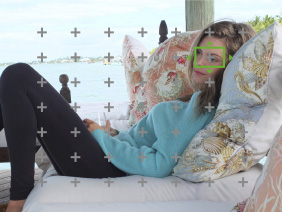
Within the 49-point matrix of the auto focus area on the screen, AF accurately and swiftly recognizes the primary subject and brings it into crystal clear focus. It also lets you freely select the position of the AF frame. Using the LCD monitor, you also can change the AF frame size and pinpoint the focusing.
Manual Focus
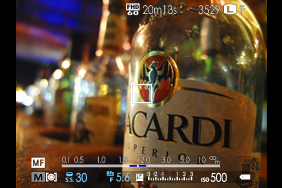
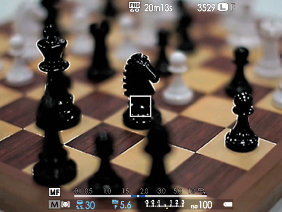
The distance index bar displayed on the LCD together with the depth of field scale and aperture value provide helpful guides for focusing. While checking the image in Live View, it is easy to adjust the focus by rotating the sub command dial. Turn on “Focus Check” in the menu and you can use focus point zoom to confirm a sharp focus.
Focus Peak Highlight function for sharper manual focusing.
When manually adjusting focus, this function highlights high contrast areas of your subject for smoother and more precise fine tuning of focusing.
AF Assist Lamp for Low-Light Scenes
In low light settings when even the subject is hard to see through the viewfinder, AF Assist Lamp illuminates the subject and assists Auto Focus.
ISO Sensitivity
ISO100-12800 Sensitivity setting range
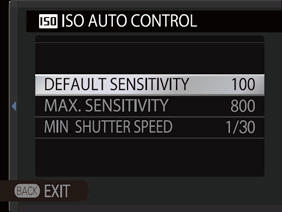
Select from the broad sensitivity range of ISO100-12800 for shooting at a full 12-megapixel resolution. The FUJIFILM X30 also lets you set 3 types of the AUTO ISO range (up to ISO 3200) and the shutter speed limit. For quick access to ISO settings, you can assign this function to the Fn or Q Button.
Flash
Super Intelligent Flash
Automatically delivering the ideal amount of flash for every scene, the FUJIFILM X30 clearly and brightly captures faces even under strong backlit or dark conditions. Also when shooting macro shots in dim lighting, this smart flash prevents the washout of the subject and background. When even more light is required or you're shooting with the lens hood attached, you can use a separately sold TTL flash.
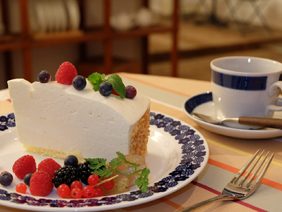
White Balance Setting
Extensive White Balance control including Kelvin Value setting
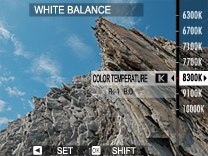
In addition to Auto White Balance, the FUJIFILM X30 also offers a choice of white balance presets to compensate for the color of different light sources. Users can also set a Custom White Balance using a gray card or other surface, or select the optimum Kelvin value.
Precise White Balance setting
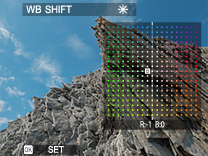
For precision correction of white balance, or to explore the creative effects you can achieve from filters, the FUJIFILM X30 lets you fine tune white balance by adjusting R (red)⇔ Cy (cyan) and B (blue) ⇔Ye (yellow) in ±9 steps.
Powerful Built-in Auto Bracketing Functions
Empowering you with a choice of 5 different auto bracketing functions (AE, ISO Sensitivity, Dynamic Range Film Simulation and White Balance), the FUJIFILM X30 lets you experience the wide world of photographic expression.
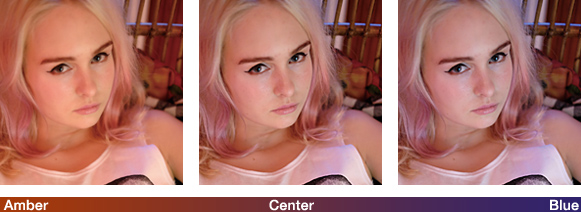
White Balance Bracketing
Just fire the shutter once and capture the same scene at your selected white balance setting plus one frame at a warmer and another at a cooler color temperature. White Balance bracketing can be set in ±1, ±2 and ±3 steps.
Dynamic Range Bracketing
Capture 3 exposures of the same scene with high-speed continuous shooting, each at a different dynamic range setting (100%, 200% & 400%).

- 100%
- 200%
- 400%
Film Simulation Bracketing
Just release the shutter once and produce 3 images of the scene based on a single exposure, each image with a different Film Simulation effect that you have freely selected and pre-set.

- PROVIA
- Velvia
- ASTIA
AE Bracketing
One press of the shutter captures 3 shots of the same scene at different exposures. AE bracketing can be set in 1/3, 2/3 and 1 EV steps.
ISO Sensitivity Bracketing
Based on a single exposure, the scene is automatically reproduced as 3 images, each with a different ISO sensitivity and without changing the shutter speed and aperture, letting you capture the moment with varying degrees of brightness. Setting is possible in 1/3, 2/3 and 1 EV steps.
Note
- · Sample photos are simulated images.