


FUJIFILM X30

Feature 4New functions. Enjoy creative time.
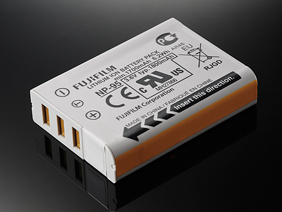
Take approximately 470 photos* on a single charge
Thanks to improvements in battery performance, the FUJIFILM X30 can shoot up the 470 photos and can also be charged via a USB connection, so there's no need to worry about running out of power on a shoot.
Interval Timer shooting lets you see the passage of time

Set the starting time, the shooting interval (1 sec. to 24 hr.) and finally the number of frames (1-999), and the FUJIFILM X30 does the rest, allowing you to discover the unique world of time-lapse photography.
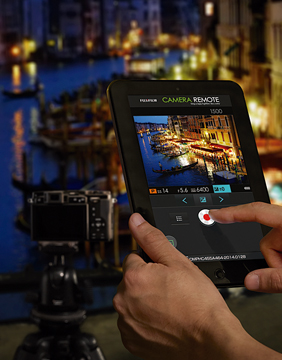
Focus with a Touch with the new smart application - FUJIFILM Camera Remote.
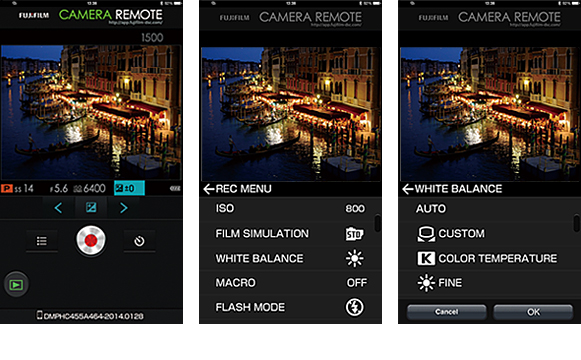
With the new dedicated "FUJIFILM Camera Remote" application, you can focus and trigger the camera release from your smartphone or tablet. The app not only lets you adjust focus, but also control settings like shutter speed, aperture, exposure compensation and ISO sensitivity. You can even apply other settings like Film Simulation, self-timer, and flash while "Touch AF" lets you focus from your phone or tablet, too. Imagine all the situations where this smart assistant will come in handy! Take commemorative group photos with yourself in the shot, capture wildlife photos, or remotely release the shutter for night shots free from camera shake.The photographic possibilities are endless.
Share every moment via email and SNS with easy wireless transfer to your smartphone.
For easy wireless transfer of photos to your smartphone or tablet just download the free dedicated "FUJIFILM Camera Remote" application to your device. There's no need to enter an ID, password or to change other troublesome settings; with just a touch of a button, you can transfer your high-quality images to your phone or tablet ready to upload to your blog or social networking site.
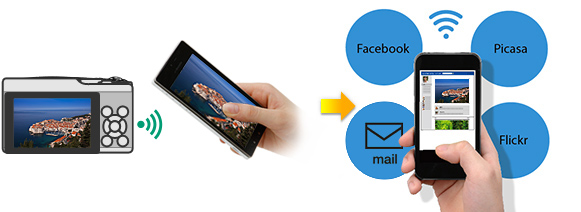
Use your smartphone to browse and transfer photos and movies from your camera.
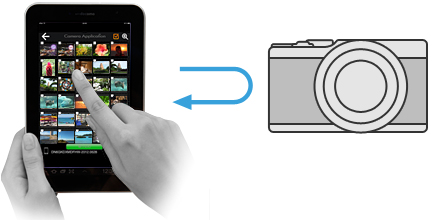
Using your smartphone or smart tablet, you can view the images stored in your camera, and then select and transfer the ones you want.
- *In the case of the iOS version of FUJIFILM Camera Remote, you may not be able to save movie files that cannot be played on the smartphone. Use the movie size setting HD (1280 x 720) or smaller to avoid this problem.
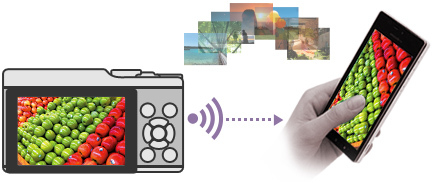
Transfer up to 30 images at one time.
You can select and transfer up to 30 images at a time to your smartphone and to make them even easier to send and use on your device, you can copy them in their existing photo size or choose the "3M compressed image option".
- * Maximum multiple image transfer is 30 photos or 2GB.
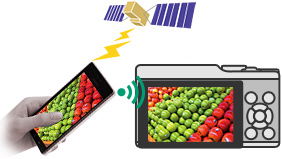
Send location data from your smartphone to you camera
Just download and install the free FUJIFILM Camera Remote application in your smartphone and you can set up your camera to acquire location data from your smartphone and geotag your images — that way you'll remember exactly where they were shot.
Automatically transfer and save photos on your PC via Wi-Fi®**
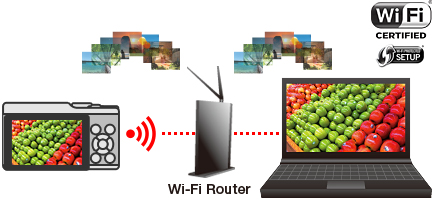
Just turn on your PC and select PC AutoSave from the camera's menu for effortless wireless transfer and saving of your photos and movies to your home PC.***
- * Wi-Fi CERTIFIED logo is a certification mark of the Wi-Fi Alliance.
Microsite
Install this Fujifilm app to enjoy photos on smartphone, tablet devices or PC.

On-the-spot instax share printing
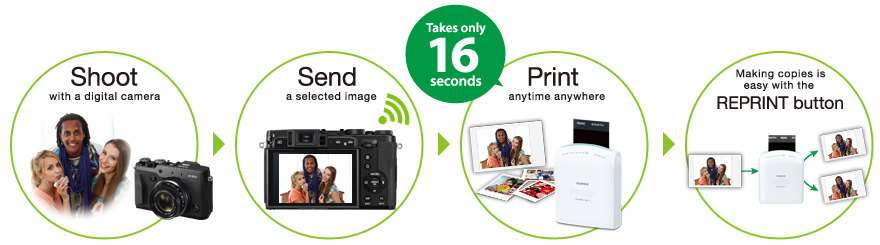
You can easily send FUJIFILM X30's great quality photos directly to the instax SHARE Smartphone Printer SP-1 for prints of your family, friends, pets and more.
The exceptional definition of Full HD 60fps Movie Shooting

With a headline 1920x1080, 60fps Full HD video mode, the FUJIFILM X30 can also shoot movies using Film Simulation modes. Users can also choose one of the 5 frame rates. Manual exposure can also be set during movie shooting. Aperture, shutter speed*4 and ISO sensitivity can be set, and movies can be shot at an exposure of the user’s preference.
Notes
- · Sample photos are simulated images.
- * Approximate number of frames / period that can be taken with a fully-charged battery based on CIPA standard.
- ** Wi-Fi® is a registered trademark of the Wi-Fi Alliance.
- *** This function requires installation of the free application software FUJIFILM PC AutoSave in your personal computer.
- *4 Aperture and shutter speed can be changed during shooting. Only shutter speeds faster than the set frame rate can be set.